Share your road pack on CookiecraftMods
Introduction
Want to share you road pack with the world? You can use mod's built-in road pack creator and share it directly on our website or modrinth. We'll show you the exact steps from pack creation to sharing it on our website.
Instructions
- Create and export your road pack
The first thing you need to do is create and export your road pack. With the mod installed, when you load the world, press B, enter the road preset editor and make roads for your pack.
When you have your presets ready, go to Saved Roads and hit Create a Road Pack.
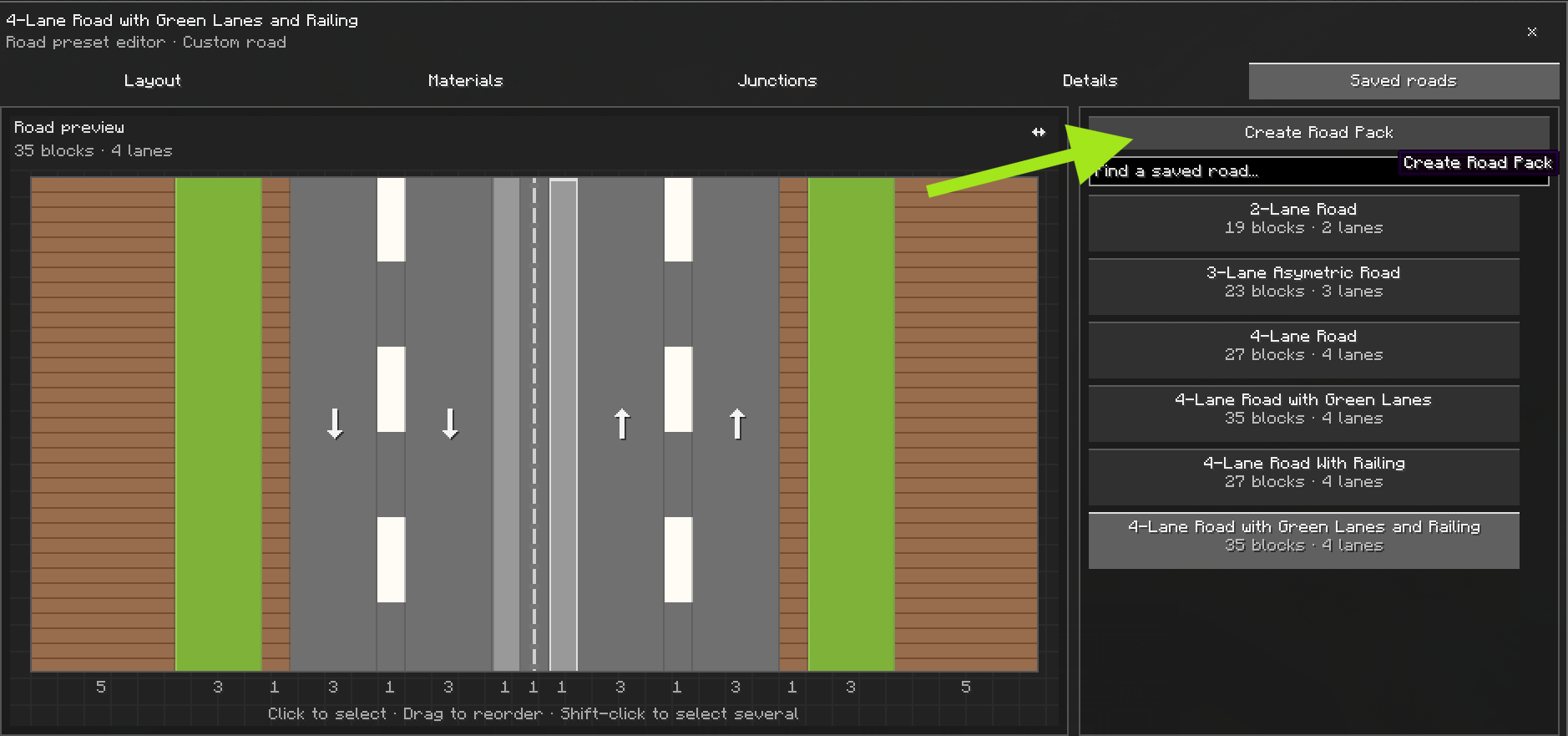
Then select roads that you want in your pack, set a name and click export.
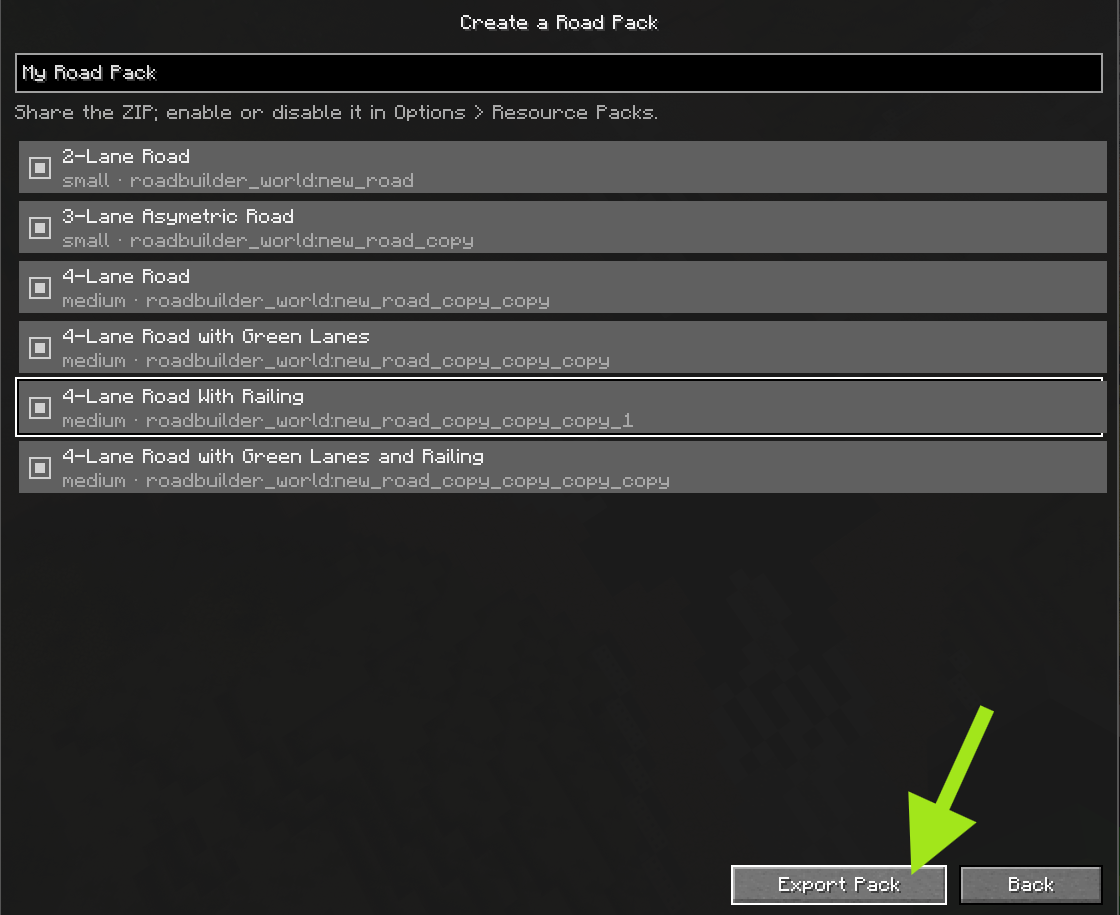
File Explorer window will pop up in your resource pack directory. Copy the path of your pack and go to the cookiecraftmods website.
- Create a new project.
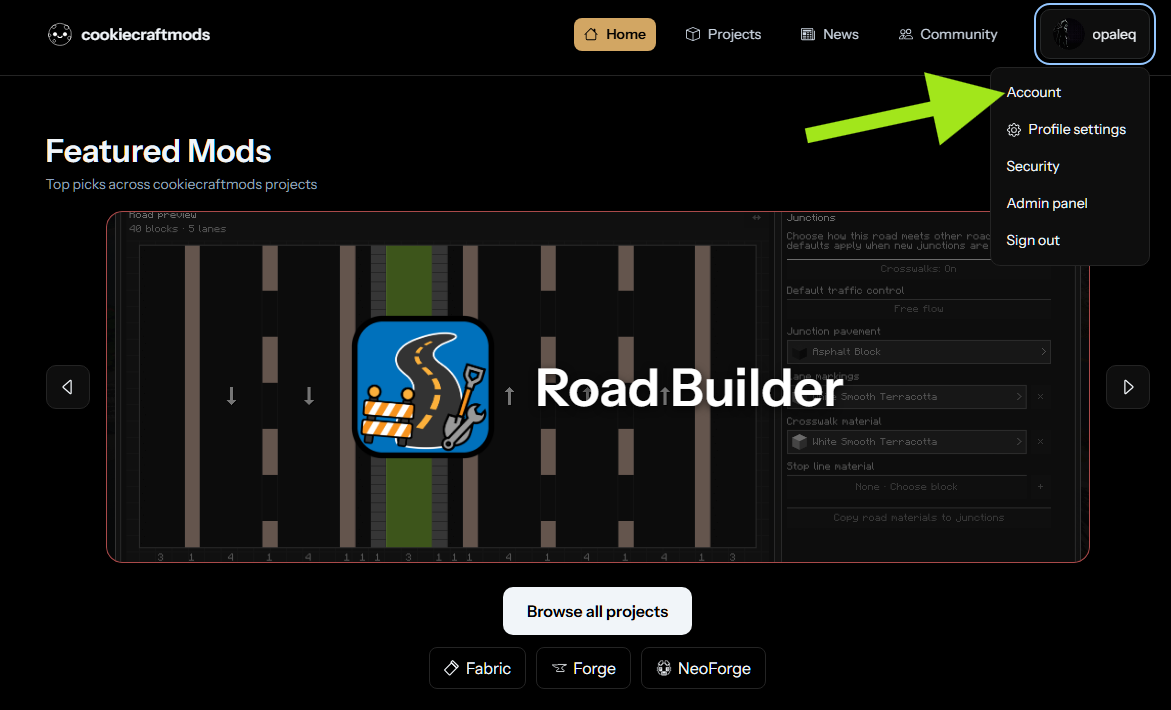
Next thing you need to do is go to your profile.
Then press + New Project.
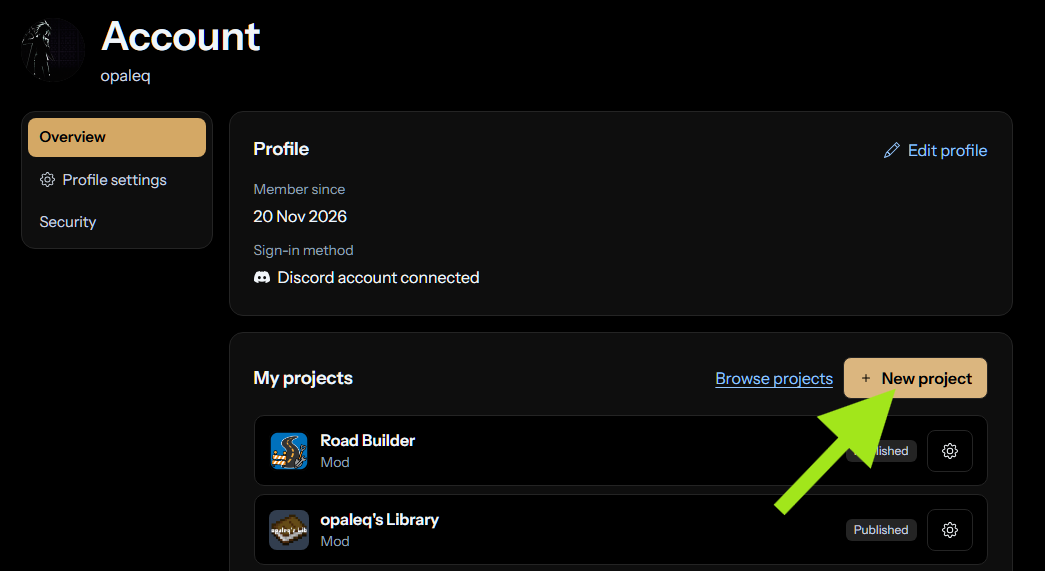
You will then need to change the project type to resource pack.
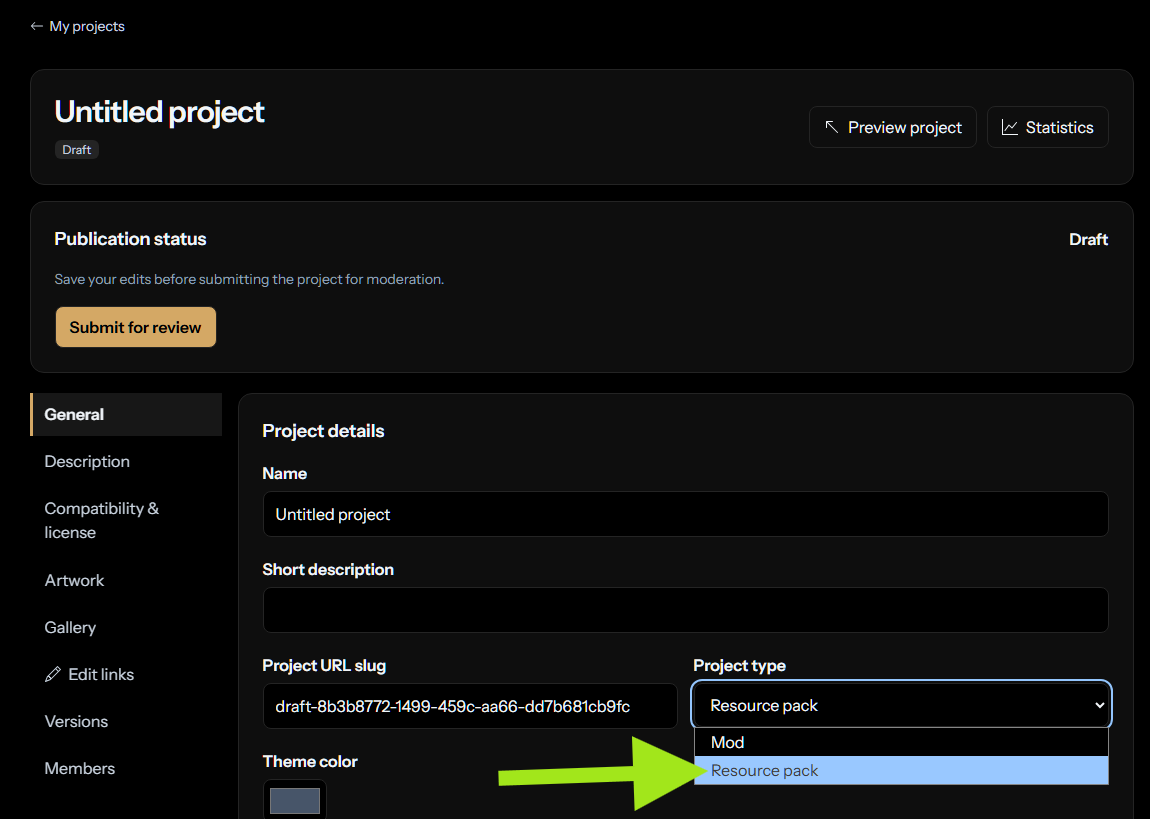
- Fill the project details, upload your pack and submit for review.
The last step is filling your project details, uploading a version and submitting for a review. Make sure you provide the name, description and project slug. The rest is optional and will be filled with the default entries.
When you have all the necessary fields filled, upload a version and submit for a review. The review will take no longer than 48 hours.
When the project is approved, it will be publicly visible and available for anyone to download. If you need further support, or have any questions, feel free to contact us on our discord server anytime. We will respond to you as soon as possible.